Tech tutorial video maker — Terracotta studio style
Make a tech tutorial video with UI cards floating in light 3D on cream: numbered labels, rolling counters, terracotta plates and italic serif captions.
รวมอยู่ในแพ็กเกจ Starter พร้อมทั้ง 27 สไตล์และสไตล์ของคุณเอง · ตัวอย่างสร้างโดยเอนจิน ClipOnIt
สไตล์นี้มีลักษณะอย่างไร
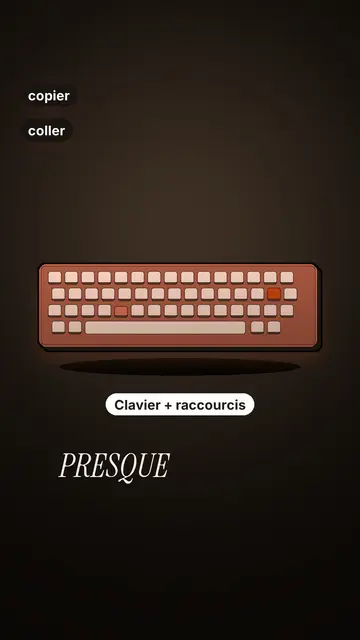
Terracotta studio explains a tool as if on a tidy workbench. On a cream background, interface cards float in light 3D, with real perspective and a warm shadow: an app window, a list of steps, an editing timeline, a sound wave drawing itself, a pad of keys lighting up one by one. At the top, a numbered label (“01”, the tool's name, “free”) says where you are and stays put while that tool is discussed. Each card enters on the word that names it.
The promise lands on a solid terracotta plate: an asterisk, an extra-bold grotesque title and an underlined italic serif word. The key number rolls in a giant counter above a floor of small cards in perspective. Small labels pop around the cards on the strong words, and captions run word by word in uppercase italic serif, the key word in terracotta. The end shows a numbered card and a button that lights up and then gets clicked.
หัวข้อที่เหมาะกับสไตล์นี้
Avoid: stories carried by characters, places or emotions: the style shows interfaces, lists and numbers, not scenes from life. Also avoid topics without steps or a concrete tool; a card should always show something you can do.
- Tool tutorialsEach tool gets its numbered label and its cards: viewers follow the order without getting lost, even in 30 seconds.
- Tech tipsA shortcut, a hidden setting, a command: the lit keys and the window show the exact move.
- How things workA search, a sound, an edit: the card filling up shows the mechanism step by step.
- Free tools and app round-ups“3 free tools”, “5 apps to install”: the plate announces the number, the end card sums up the list.
ไอเดียวิดีโอในสไตล์นี้
- 3 keyboard shortcuts that save time
The lit keys, the closed-tabs window, the clipboard history and the card to keep.
- 5 free sites to find sounds
One label per site, the wave drawing itself, the counter of royalty-free sounds and the final list.
- How AI finds an image in one second
The typed search, the scrolling film strip, the image at the exact frame and the accuracy score.
- Editing a video on your phone
The timeline where clips stack up, the sound meter and the “Export” button clicked at the end.
รับได้ใน 1 คลิก
- เปิดลิงก์ของสไตล์นี้
ปุ่ม “สร้างวิดีโอในสไตล์นี้” จะเปิดตัวแก้ไขพร้อมสไตล์นี้ที่เลือกไว้แล้ว หากยังไม่มีบัญชี การสมัครใช้เวลาประมาณหนึ่งนาทีและไม่ต้องใช้บัตร
- เขียนหัวข้อของคุณในหนึ่งประโยค
ไอเดียเดียวก็เพียงพอ คุณยังวางข้อความ หรือจาก Starter พูดเล่าเรื่องผ่านไมโครโฟนก็ได้ วิดีโอจะสร้างจากเสียงของคุณ
- ตรวจสอบ แล้วเรนเดอร์
AI เขียนฉาก เลือกองค์ประกอบของสไตล์ และจัดจังหวะให้ตรงกับคำพูด พร้อมเสียงและคำบรรยาย คุณแก้ไขส่วนที่ไม่ถูกต้อง จากนั้นไฟล์ MP4 แนวตั้งจะพร้อมภายในไม่กี่นาที
สิ่งที่คุณปรับได้
For each scene you pick one to three cards out of twelve (window, list, timeline, wave, pads, counter, meter, score, numbered frames, search, film strip or a library element), the numbered label for that part, up to three small labels and the word where each one appears. A terracotta plate carries the promise, a number shot rolls the key figure, and the end card lists your tools with a button. Your own voice works too: everything locks onto the spoken words.
วาดด้วยสไตล์นี้
9 517 องค์ประกอบในคลัง ค้นหาตามความหมายได้ นี่คือบางส่วน:
 ตัวละคร
 อุปกรณ์
 เอกสารและสถานที่
 ข้อมูล
 ฉาก
 อินเทอร์เฟซ
 วิทยาศาสตร์
 การกระทำ
คำถามที่พบบ่อย
ฟรีหรือไม่ เอาต์พุต และการใช้งาน: คำตอบสั้นๆ
Do I need screenshots of my tools?
No. The engine draws the interface cards from your text: titles, lines, keys, numbers. No screenshot or brand logo is used.
ใช้เสียงของฉันเองได้ไหม?
Yes. Record yourself or import your audio: every card, every key and every caption word locks onto what you say.
How is it different from Clean interface?
Clean interface tells a story in OS-style windows with a clicking cursor. Terracotta studio is built for tutorials: cards in light 3D, a numbered label per tool, terracotta plates and counters.
สไตล์นี้มีในแพ็กฟรีหรือไม่?
ไม่ใช่ มาพร้อมกับ Starter ($29/เดือน): วิดีโอไม่มีลายน้ำ 15 วิดีโอต่อเดือน ทั้ง 27 สไตล์และสไตล์ของคุณเอง แพ็กเกจฟรีให้ 3 วิดีโอต่อเดือนพร้อมลายน้ำ ใน 8 สไตล์อื่น: Pixel News, Press paper, Comedy cartoon, Class sketch, Night tale, Social screen, Retro synthwave และ Flat vector.
หากคุณชอบสไตล์นี้
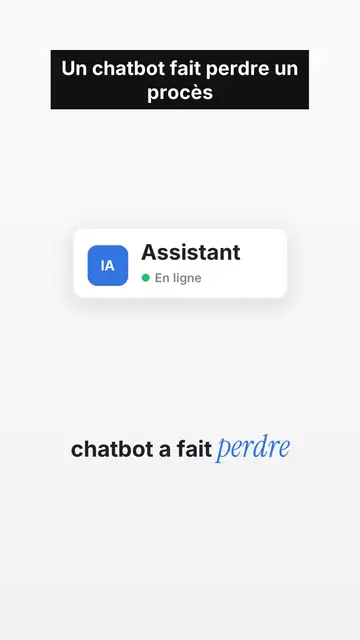
UI motion design explainer video
Clean interface style · The story played out in clean interface cards: windows, buttons, a cursor clicking on the word, key word in serif.
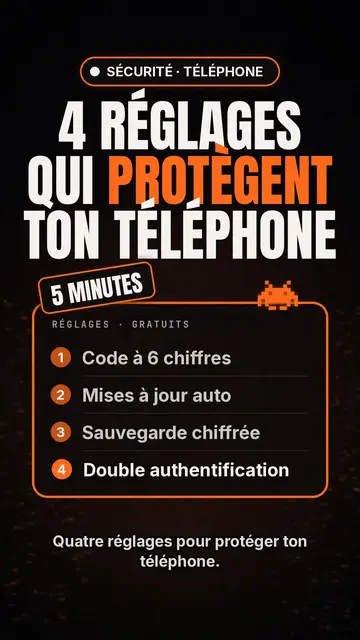
โปรแกรมสร้างวิดีโอรายการเทคโนโลยียอดนิยม
สไตล์ Tech list · การ์ดเทคโนโลยีพื้นดำ ป้ายเรืองแสง รายการมีเลขกำกับ
เครื่องมือสร้างวิดีโอ Kinetic Typography
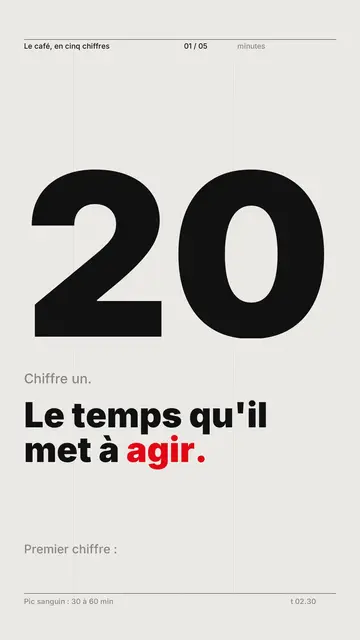
สไตล์ Swiss grid · ตัวอักษรแบบ Swiss: พื้นกระดาษอ่อน กริดเข้มงวด ตัวเลขขนาดใหญ่ และสีสัญญาณเดียว
ไอเดียของคุณ ในสไตล์นี้
เขียนหนึ่งประโยคหรือพูดออกมา สไตล์จะถูกเลือกไว้แล้วเมื่อคุณเข้าสู่ตัวแก้ไข